PRODUCT / CHATTAK APPLIANCE
STATUS / DEV v 1.0.x
xTAK / Products / chatTAK
In development · Beta TBD

A TAK endpoint
in everyone's pocket.
No app required.

Plug it in. Hand out the SSID. Onboard in 60 seconds. A self-contained appliance with its own Wi-Fi network and a browser-based chat UI. Multiple users — phones, laptops, tablets — connect at once, each as their own first-class TAK identity, no app install required.

Field Command ElementsMobile Command VehiclesEvent CoordinatorsSAR Base TeamsCERTVolunteer Fire / AmbulancePop-up EOCs
chatTAK at a volunteer aid station — palm-sized appliance on a folding table, volunteers in event t-shirts on their phones connected to chatTAK's Wi-Fi, bike riders passing in foreground
CHATTAK · VOLUNTEER AID STATION · 60-SECOND ONBOARD chatTAK at a charity bike-ride aid station — a sub-$30 palm-sized appliance with its own Wi-Fi network. Volunteers connect their personal phones, pick a callsign, and they're a first-class TAK participant. No app install, no infrastructure.

A charity bike ride.
Eighty volunteers.
Sixty seconds to onboard.

It's the morning of a regional charity bike ride. Two hundred riders, twelve aid stations across forty miles of back roads, eighty volunteers. The race director is running ops from her car with ATAK on a phone. The chief medical officer has WinTAK on his laptop in the SAG vehicle. The volunteer comms lead has a 2-meter HT.

The volunteers at the aid stations have neither ATAK nor amateur radio. They're regular people with regular phones who showed up to help. None of them are going to install an app or learn a tactical mapping tool.

At each aid station the comms lead hands the station captain a chatTAK — a palm-sized appliance in a 3D-printed case the size of a deck of cards, powered by a USB battery. "Connect your phone to the Wi-Fi named AID-7. Open the link. Pick your name and team." Sixty seconds later every volunteer at the station is on the team's TAK chat. Their position is updating on the race director's ATAK. They can DM the chief medical officer.

When a rider goes down, the captain types a chat. It reaches the race director, the medical officer, and every aid station — instantly.

No app install. No accounts. No cell coverage required. A palm-sized appliance per station.

Four things
chatTAK does well.

OUTCOME 01

Put a TAK endpoint in everyone's pocket — no app required

chatTAK is a self-contained TAK endpoint, not a forwarding tunnel. Every browser user gets a real TAK identity — UID, callsign, team, color, position — and broadcasts a periodic SA heartbeat onto the TAK network exactly like an ATAK device.

  • Native TAK chat — every message is byte-identical to ATAK GeoChat; WinTAK and ATAK clients can't tell chatTAK users from "real" TAK clients.
  • Per-user periodic SA — each browser broadcasts position + metadata on a configurable cadence (default 30 s).
  • Browser-only UI — no app install, no account, no app store; works on any modern phone or laptop.
  • Self-hosted Wi-Fi AP — chatTAK can be its own wireless network so it works in a parking lot with no LAN around.
  • Attachments up to 50 MB — send photos and documents over TAK.
  • Clean enrollment / logout — callsign + team + role picker on first connect; leaving triggers a proper TAK delete.
Close-up of a volunteer's hands holding a smartphone, the screen showing a chatTAK browser-based enrollment form with callsign and team fields, a palm-sized appliance in a 3D-printed case visible on a folding table in the background
OUTCOME 02

Drop into any operation without infrastructure

chatTAK is a fully offline-strict appliance. Every dependency is vendored. The install runs without internet. The product runs without internet.

  • palm-sized appliance form factor — sub-$30 hardware, palm-sized.
  • Self-contained Wi-Fi AP with DHCP, DNS, and HTTPS termination already configured.
  • Battery-powered operation — USB power bank lasts a day.
  • One-tarball install — everything ships in the offline release archive.
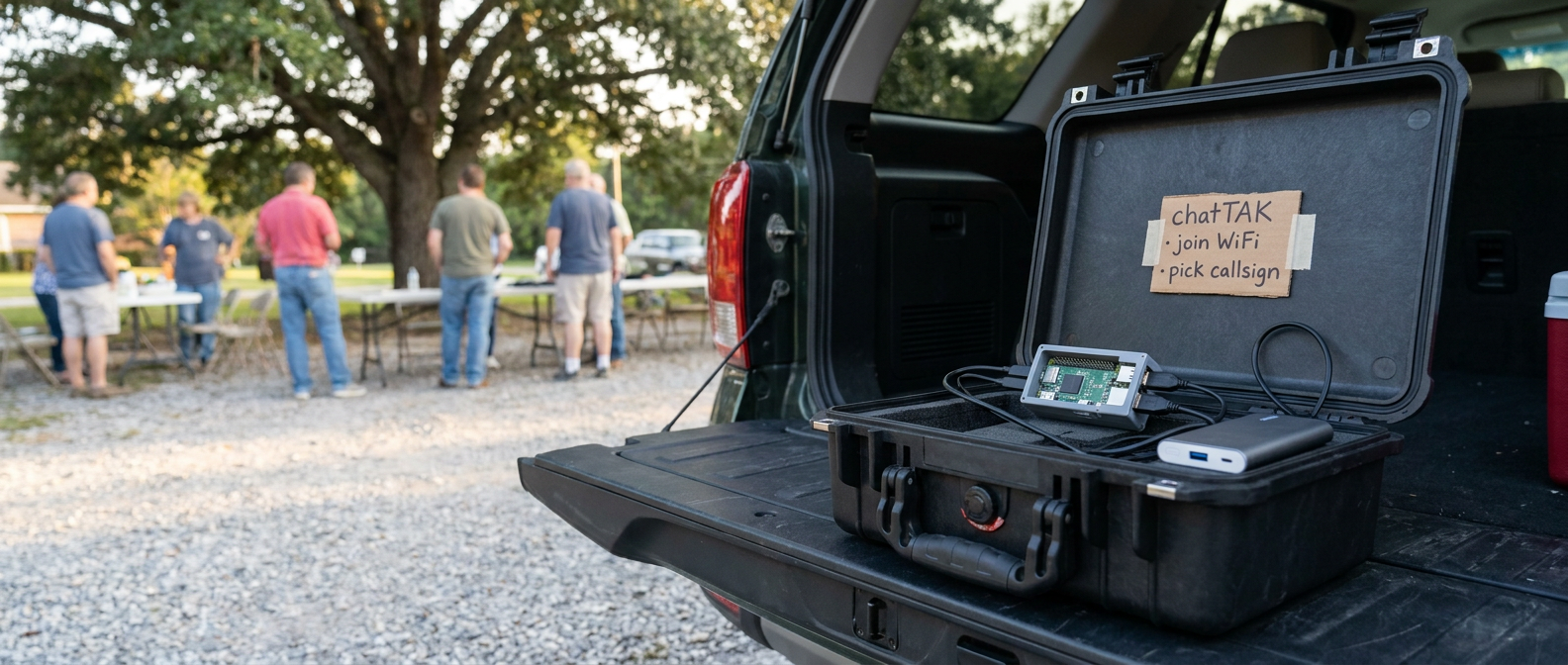
A black Pelican case open on the dropped tailgate of a parked SUV, holding a small Linux appliance in a 3D-printed case wired to a USB power bank, with a handwritten label reading 'chatTAK · join WiFi · pick callsign' and a community gathering visible in the background
OUTCOME 03

Run a comms-forward command element from a single appliance

When the priority is talk, decide, coordinate — not stare at a map — chatTAK is the TAK endpoint of choice. One appliance, one Wi-Fi network, and your whole command staff is on the same TAK chat from their phones.

  • Multi-user from one device — the IC, ops chief, planning chief, and logistics officer can all be on one appliance at once, each as their own callsign with their own team color, role, and SA heartbeat.
  • The WinTAK chat feature set, in a browser — All Chat, team chat, addressable DMs, group chat, attachments.
  • No ATAK cognitive load — for staff who don't need the tactical map every second, chatTAK gives them the comms layer without the rest of the client.
  • Field command, no infrastructure — a four-person command element can run an incident from a single chatTAK appliance powered by a USB battery. Carry it in a sleeve, run command from a phone.
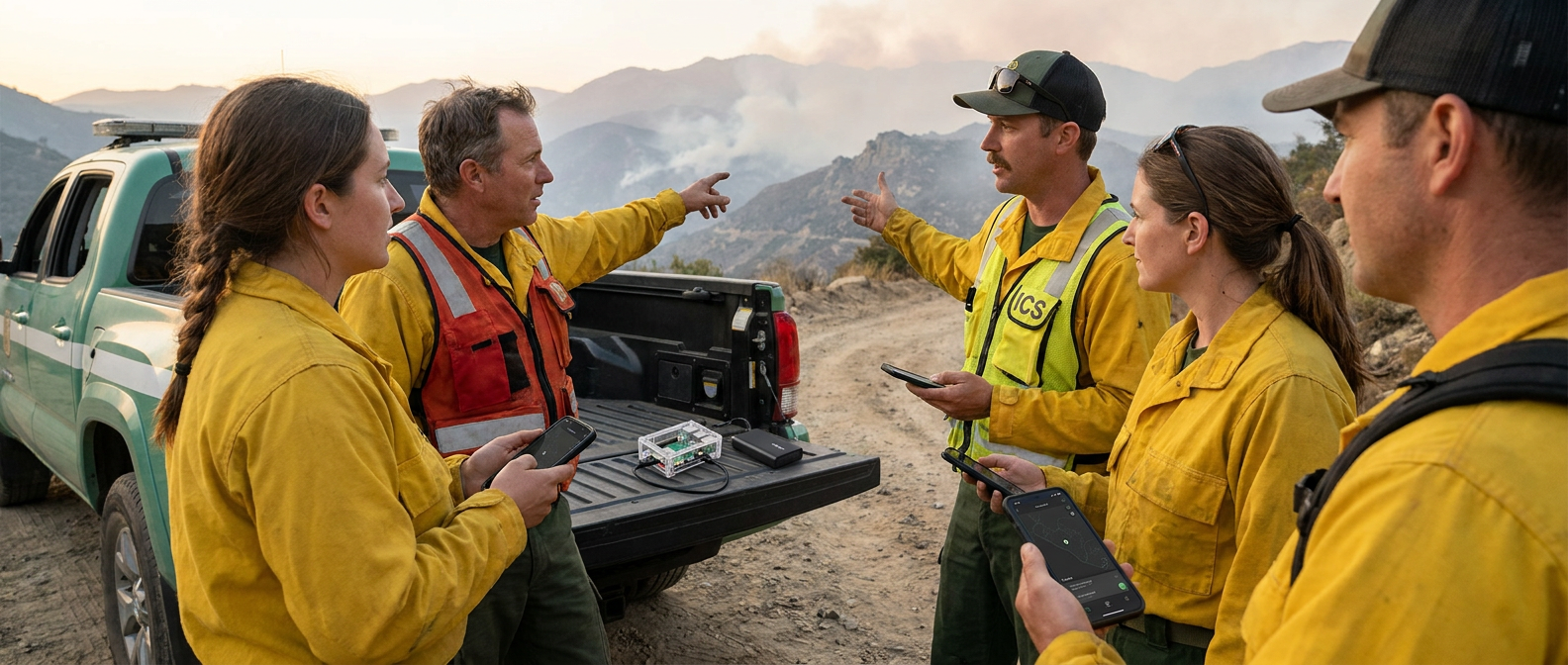
A four-person wildland-fire command element in yellow Nomex gear gathered around the dropped tailgate of a Forest Service truck on a fire road, conversing while consulting their personal smartphones, with a palm-sized appliance visible on the tailgate
OUTCOME 04

Reach every operator on the network — ATAK, ham, mesh, all from one chat

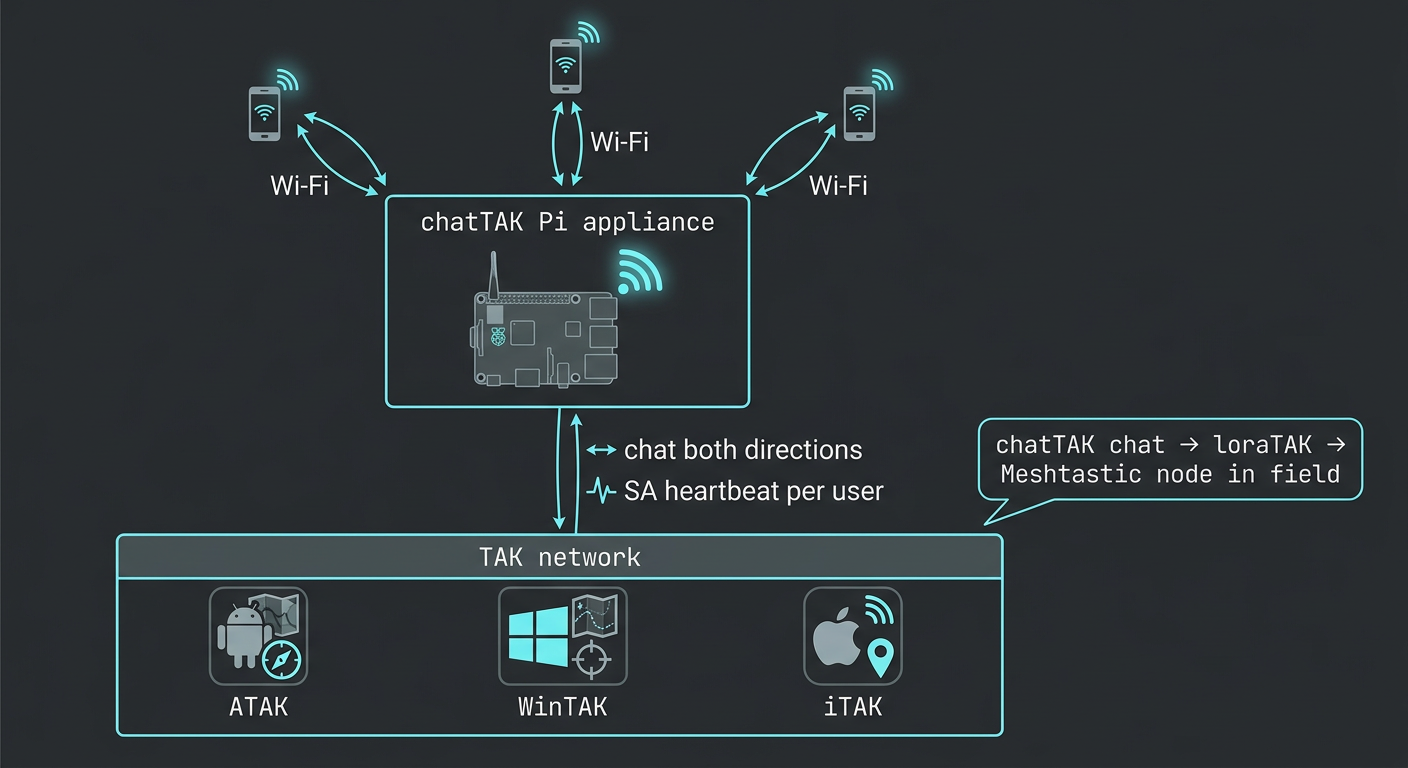
chatTAK is the lightweight endpoint counterpart to baseTAK. The chat wire format is byte-identical between them — they share the same cot_chat shared module. Drop a chatTAK on a LAN that also has baseTAK, digiTAK, loraTAK, netTAK, or sdrTAK and they all see each other.

  • chatTAK browser user can DM an ATAK device — and vice versa.
  • chatTAK chat reaches a Meshtastic node via loraTAK on the same LAN.
  • chatTAK chat reaches a ham radio operator via digiTAK on the same LAN.
  • Field mesh ready — drop chatTAK onto a netTAK mesh and every aid station joins without a LAN.
  • A logged-in volunteer's position flows to every TAK client and bridge on the network — ATAK, WinTAK, iTAK, baseTAK, and any feed bridged by digiTAK/loraTAK/sdrTAK.
Technical schematic showing a chatTAK appliance at top connected via Wi-Fi to three smartphones, with a two-way cyan link down to the TAK network bar carrying ATAK, WinTAK, and iTAK icons — illustrating chat in both directions and per-user SA heartbeat

What's in the box.

chatTAK is a standalone, browser-native TAK GeoChat client. Hand someone a URL on a tablet or phone-browser and they're on your TAK chat thread with attachments — no app install, no Play Store approval, no MDM.

★ Choose chatTAK when

The whole team needs to be on TAK chat in sixty seconds and nobody is installing an app. Volunteers, dispatch, family liaisons, chase teams — anyone with a phone. Hand out the SSID. They're on the net.

☕ Beta · Early Access

Get chatTAK in your hands now.

Become a supporter on Buy Me a Coffee and join the early-adopter Beta — get the current build, the next release, and direct engagement with the team.

Support on Buy Me a Coffee

What chatTAK needs.

Hardware
Any small Linux appliance, or any Linux/macOS box for testing
Case
3D-printable designs available
Power
USB battery, wall wart, or USB-C PD adapter — day-long operation on a single battery
Wi-Fi
Self-contained AP — DHCP, DNS, HTTPS termination all configured. Works in a parking lot with no LAN.
Client devices
Phones, tablets, laptops — any modern browser. No app install.
Multi-user
Every browser session = its own TAK identity (callsign, team, role, position, SA heartbeat)
TAK clients supported
ATAK, WinTAK, iTAK, baseTAK — any standard TAK client on the LAN
Internet
Not required · install and operation are fully offline
Version
v 1.0.x (Beta · shipping soon)

Questions
operators ask.

Do volunteers need to install anything?

No. Any phone with a browser connects to chatTAK's Wi-Fi, opens the URL, picks a callsign and team, and they're a TAK participant. Sixty seconds end-to-end.

Can multiple users be on the same chatTAK?

Yes — that's the point. Every browser user gets their own TAK identity. The IC, ops chief, planning chief, logistics officer, and finance officer can all be on one appliance at once. Same for volunteer aid stations: every volunteer at the station is on their own callsign.

Does it really work without any LAN or internet?

Yes. chatTAK can host its own Wi-Fi access point. Phones connect directly to it. The appliance resolves its own hostname. Works in a parking lot, in a basement, at a trailhead, anywhere — no infrastructure required.

How does chatTAK appear to ATAK / WinTAK on the LAN?

Like a real TAK client. Every chatTAK browser user broadcasts a periodic SA heartbeat onto the TAK network with their own UID, callsign, team, color, and position. ATAK and WinTAK can't tell them apart from "real" TAK clients on the wire.

What's the form factor?

palm-sized appliance, sub-$30 hardware, palm-sized. Fits in a 3D-printed case smaller than a deck of cards. Powered by a USB battery for a day of operation.

Do I need TAK Server?

No. chatTAK talks to TAK clients directly on the LAN.

What happens when a user leaves?

Leaving chatTAK triggers a proper TAK delete (t-x-d-d) — the participant prunes from baseTAK, ATAK, and WinTAK immediately instead of waiting for stale timeout.