PRODUCT / NETTAK FIELD MESH · WI-FI HALOW
STATUS / DEV v 0.3.x
xTAK / Products / netTAK
In development · Beta TBD

The self-managing mesh
for field
TAK operations.

Drop an appliance at every site. They auto-form a mesh. TAK clients connect like to any Wi-Fi. The picture stays current across miles of operating area — no infrastructure required, no internet needed, no central server to configure. Every node runs a web admin UI you reach from any browser.

Wildland FireMulti-day SARDeployable EmCommState / County EMTactical TrainingPublic-Safety Auxcomm
netTAK at a forward operating site — a wildland firefighter alone on a mountain ridge consulting a rugged tablet, distant wildfire smoke and mountain ranges at golden hour
NETTAK · FORWARD OPERATING SITE · GOLDEN HOUR A wildland crew at a forward operating site — netTAK at the edge of the deployment, meshing back to the IC tent across miles of terrain. The map stays current; the picture survives the hop.

Five appliances.
One self-healing mesh.
A real LAN across miles.

A wildland fire crew is operating in mountainous terrain over a five-day deployment. The Incident Command Post is at the trailhead, three squad bases are spread across the operations area, and a logistics camp is set up at the watering point two miles downhill. Cellular is dead. The radios work for voice but can't carry the IC's map. Starlink is unreliable under the canopy.

The crew deploys a netTAK at every site — five nodes in total, each in a Pelican case, each running on a 12V battery. Each node powers on and joins the mesh on its own — no central server, no keys to type, no console cable. Within a minute the cluster has converged.

Operators connect their ATAK tablets, WinTAK laptops, and iTAK phones to the closest netTAK's Wi-Fi. The IC drops a marker at the trailhead — every device across the cluster sees it within seconds, even on the far side of the watershed. When the squad logistics chief moves between camps, his ATAK tablet roams from one node to the next without losing the picture.

When one of the squad sites' uplink fails — antenna knocked over by a branch, battery low — the mesh re-routes around it within seconds. The squad's TAK picture stays current. Their chat lands at the IC's tent without anyone touching a config.

Five appliances. One self-healing mesh. A real LAN across miles of fire ground.

Four things
netTAK does well.

OUTCOME 01

Flash, boot, mesh — a node joins on its own

netTAK knows how to join the cluster without you. Flash the SD card, power on the appliance, watch it converge in under a minute. No central master to configure, no keys to type, no console cable. Add a node mid-operation and it just shows up.

  • Self-managing — no central server, no provisioning steps, no admin login required to add a node.
  • Self-healing — when a node drops, traffic re-routes within seconds. Operators don't notice the failure.
  • Standalone or mesh — run a single node for a remote outpost, or mesh dozens for a multi-site deployment.
  • Layer-2 transparent — standard TAK traffic crosses the mesh without translation. Multicast, broadcast, ARP all just work.
A multi-agency wildland-fire forward operating site at golden hour, with a single appliance-based netTAK appliance in an open Pelican case at center on a folding camp table; about ten public-safety operators on different devices arranged across the scene; a fire engine and antenna mast visible at the edges and a smoke column on the ridgeline
OUTCOME 02

Admin from any browser, anywhere on the mesh

Every netTAK node serves a full admin web UI over HTTPS. Open it from any browser on the network — phone, tablet, laptop — and you're in. No SSH, no console cable, no specialized tooling.

  • Live dashboard — DHCP leases, connected Wi-Fi clients, mesh neighbors, battery state, GPS — all auto-refreshing in place.
  • Per-page admin scope — dashboard, access point, mesh, node, services, logs, and admin pages keep concerns separate.
  • Cluster-wide changes from any node — edit DNS records, DHCP reservations, or the upstream resolver list from any node and they propagate to every node.
  • Service control in the browser — restart, stop, view logs for any of netTAK's managed services without opening a terminal.
  • Reboot, shutdown, halt — system-level actions exposed in the UI with confirmation gates.
Three-panel tactical schematic showing netTAK's deployment patterns: standalone single appliance, local mesh over Wi-Fi/Ethernet, long-range mesh with Wi-Fi HaLow and directional antennas
OUTCOME 03

Install in the field, no internet required

The whole netTAK install bundle is a single 75 MB tarball with every dependency vendored inside. The install script never touches the network. Drop the bundle on a USB stick, flash a fresh appliance, run the installer — done.

  • Offline by default — every apt package, every driver, every config template is included in the bundle.
  • Re-install preserves state — admin password, TLS material, cluster state, operator-set DNS records, DHCP reservations, and GPS settings all survive a re-install on top of an existing node.
  • Soft and clean uninstall — default uninstall preserves state and credentials so a follow-up re-install picks up where you left off; reset mode wipes for a true clean slate.
  • Build your own bundle from the running cluster — the web UI exposes a one-click bundle rebuild for stamping out new nodes from your verified, in-the-field configuration.
  • Optional online updates — when you do have WAN reachability, pull security updates with one click and stay on your pinned kernel.
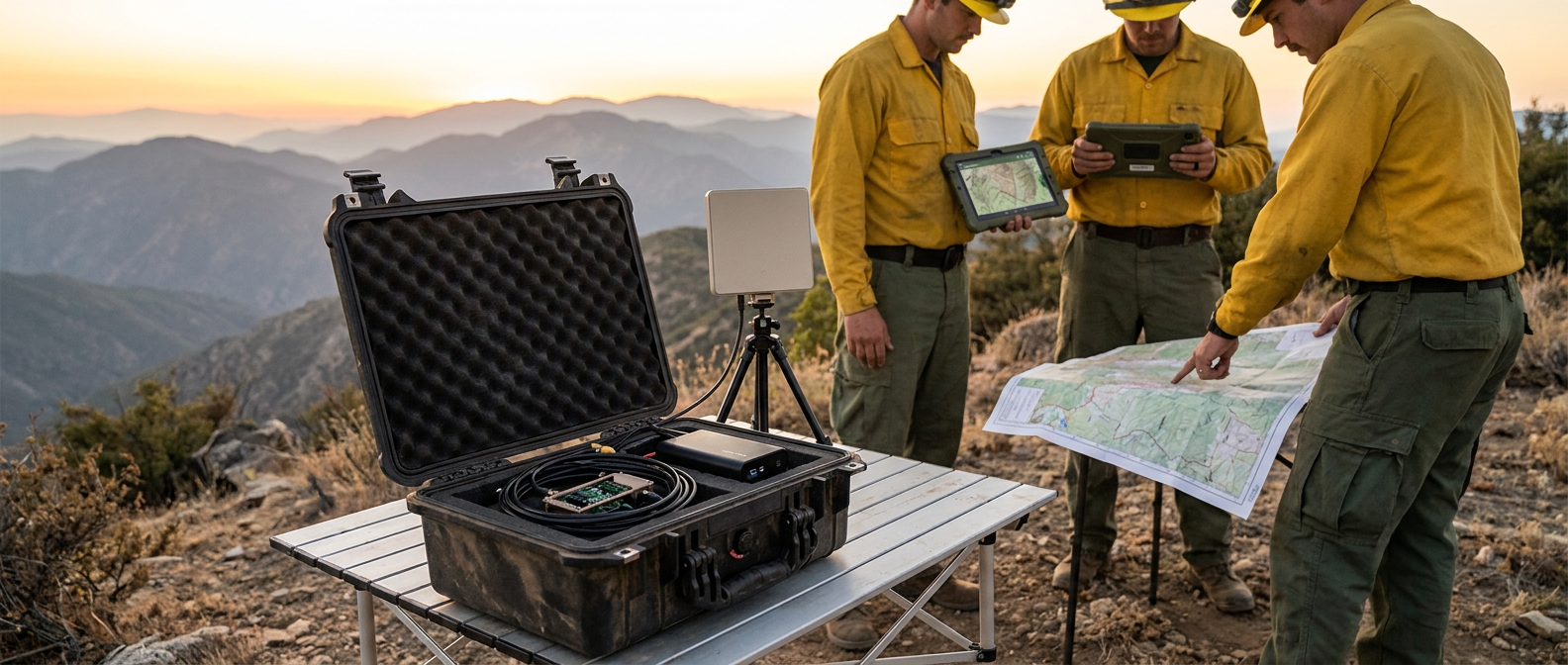
Wildland firefighters at a forward staging area on a mountain ridge — open Pelican case holding an appliance-based netTAK on a folding table, two firefighters consulting rugged tablets, a third referencing a paper map, golden-hour mountain backdrop
OUTCOME 04

Built for the field, on hardware you can carry

netTAK runs on small Linux appliances you can hold in your hand. Battery-viable, solar-viable, and quiet enough that you can leave one in a Pelican case at a forward site for the duration of an operation.

  • Multi-platform support — Linux appliance (palm-sized to mini-server). Pick the hardware that fits the role.
  • Wi-Fi HaLow backhaul — sub-1 GHz long-range Wi-Fi gives you miles between sites. Pair with a Yagi or panel antenna for ridge-to-ridge bridges.
  • Standard 2.4 GHz Wi-Fi for clients — operators connect with the phones, tablets, and laptops they already have. No special radios required on the client side.
  • USB-PD UPS hat UPS integration — live battery state in the dashboard. Plug in a USB-PD UPS hat 2, 3, or 3-Plus and you have a battery-operated node with charge visibility.
  • GPS time discipline — clocks stay synchronized across the cluster without internet. Plug in a USB or UART GPS receiver; trust it from the dashboard.
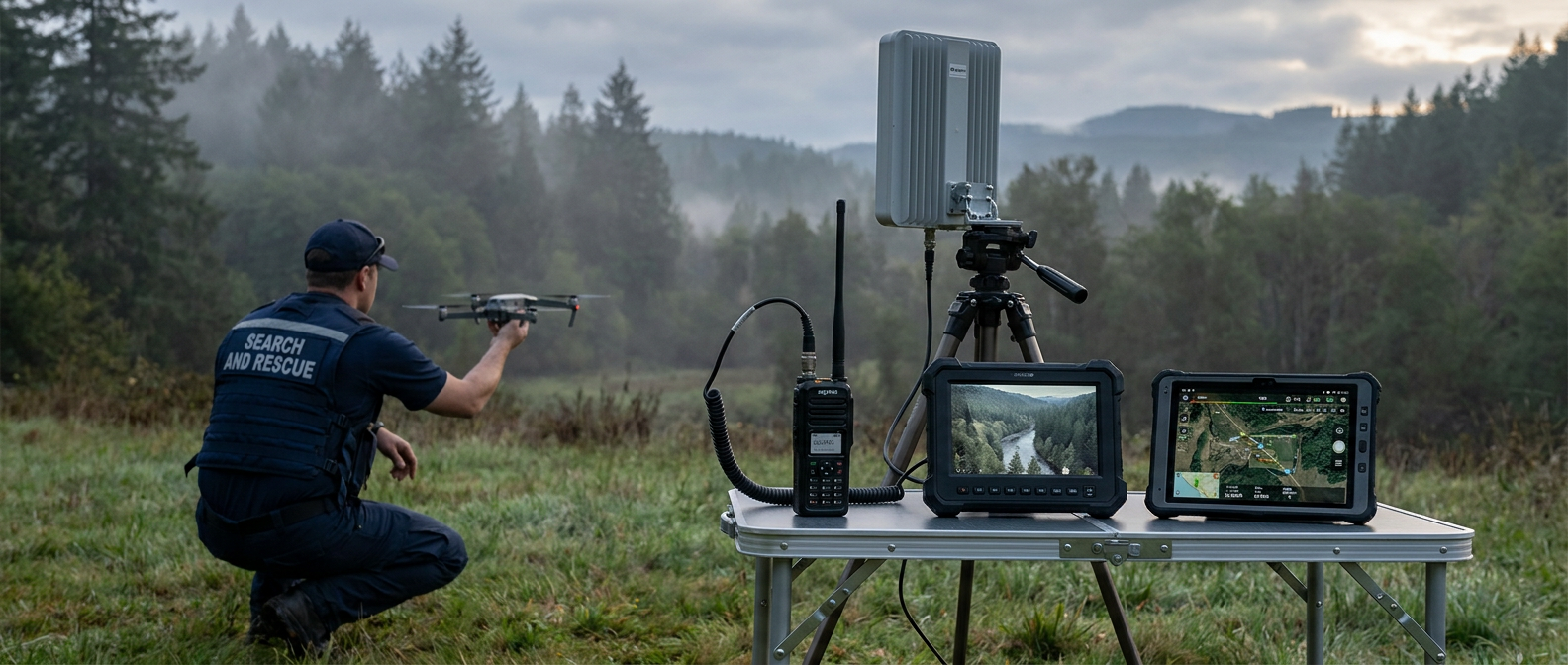
A Search and Rescue operator in a navy SAR vest launching a civilian drone from a clearing; a netTAK device on a folding table with cables routed to a small panel antenna; a rugged tablet displaying overlay data

What's in the box.

netTAK is a self-managing wireless mesh for field-deployable TAK operations. The list below is what ships today — every capability is in the current Beta build and used by Early Adopters in active operations.

★ Choose netTAK when

You're running an operation across multiple sites with no infrastructure. You need a real LAN spanning miles. Drop a node at every site. They mesh. Operators connect to standard Wi-Fi. The picture stays current.

☕ Beta · Early Access

Get netTAK in your hands now.

Become a supporter on Buy Me a Coffee and join the Early Adopter program — get the current Beta build, the next release, and direct engagement with the team.

Support on Buy Me a Coffee

What netTAK needs.

Hardware
Any small Linux appliance (auto-detected). Battery-viable, solar-viable.
Backhaul radio
Wi-Fi HaLow (802.11ah, sub-1 GHz) — Vantron VT-USB-AH-8108 / Morse Micro MM8108 USB dongle. Pair with omni or directional antennas for miles-class links.
Client radio
Built-in 2.4 GHz Wi-Fi (standard 802.11n). Operators connect with phones, tablets, and laptops they already have.
Power
12V battery · solar · or USB-PD UPS hat UPS (model 2, 3, 3-Plus) with live battery dashboard
Enclosure
Pelican case · ammo can · 3D-printed weatherproof box · bare appliance for fixed installs
Admin
Web UI over HTTPS · accessible from any browser on the network · no SSH required
Time
GPS time discipline (USB or UART NMEA receiver) · manual time set fallback · RTC sync on supported hardware
Install
75 MB offline bundle · all dependencies vendored · no network required at install · idempotent re-install preserves state
Distribution
GitHub Releases with SHA-256 verification · Early Adopter access via Buy Me a Coffee
Version
netTAK v 0.3.x (Beta · shipping soon)

Questions
operators ask.

How do I get netTAK?

netTAK is in active Beta. Become an Early Adopter on Buy Me a Coffee and you'll get the current Beta build plus direct engagement with the team. The install bundle ships as a GitHub release with SHA-256 verification.

Do I have to use Wi-Fi HaLow?

No. HaLow is what gives you long-range backhaul between sites. For closer-quarters deployments you can mesh over the appliance's built-in Wi-Fi or wired Ethernet. A standalone single-node deployment works with no mesh radio at all.

What hardware do I need?

Any small Linux appliance. Optionally a USB-PD UPS hat for battery operation with live charge dashboard. Optionally a USB or UART GPS receiver for cluster-wide time discipline. Optionally a Wi-Fi HaLow USB dongle for long-range backhaul.

Does it work without internet?

Yes — that's the design center. The install bundle includes every dependency. The reconciler renders configs locally. DNS is authoritative-local by default (no upstream resolver unless you set one). GPS keeps the cluster's clocks in sync without an internet uplink.

How is the mesh routed?

Self-managing mesh — drop a node and it joins. Standards-based wireless mesh with layer-2 transparent routing, so any TAK client connected at one node can reach a TAK client at another node without translation. Self-healing on node failure.

How do I admin a netTAK?

Any browser on the network can reach the admin UI over HTTPS. Pages for the dashboard, AP config, mesh peers, services, logs, and admin keep concerns separate. Cluster-wide changes (DNS records, DHCP reservations, upstream resolvers) propagate to every node automatically.

Can I re-install without losing my config?

Yes. Re-install on top of an existing node and the admin password, TLS material, cluster state, operator-set DNS records, DHCP reservations, and GPS settings all survive. The uninstall script has a soft mode (state preserved) and a reset mode (clean slate) — soft is the default.

Do I need a commercial mesh-router vendor?

No. commodity Linux hardware, your Linux, your network. No vendor lock-in, no per-device licensing, no cloud account.